




Description
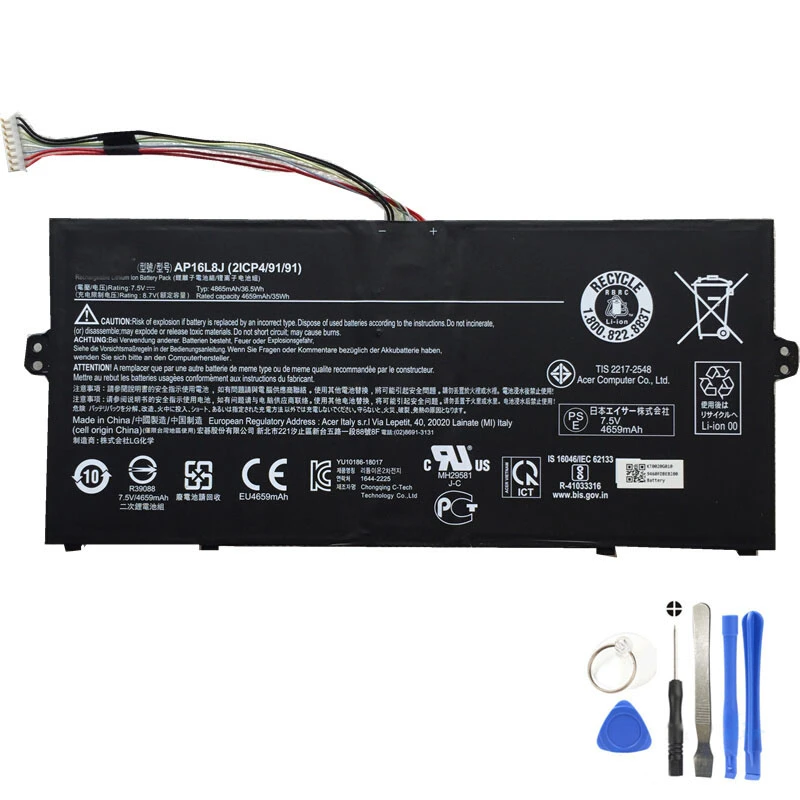
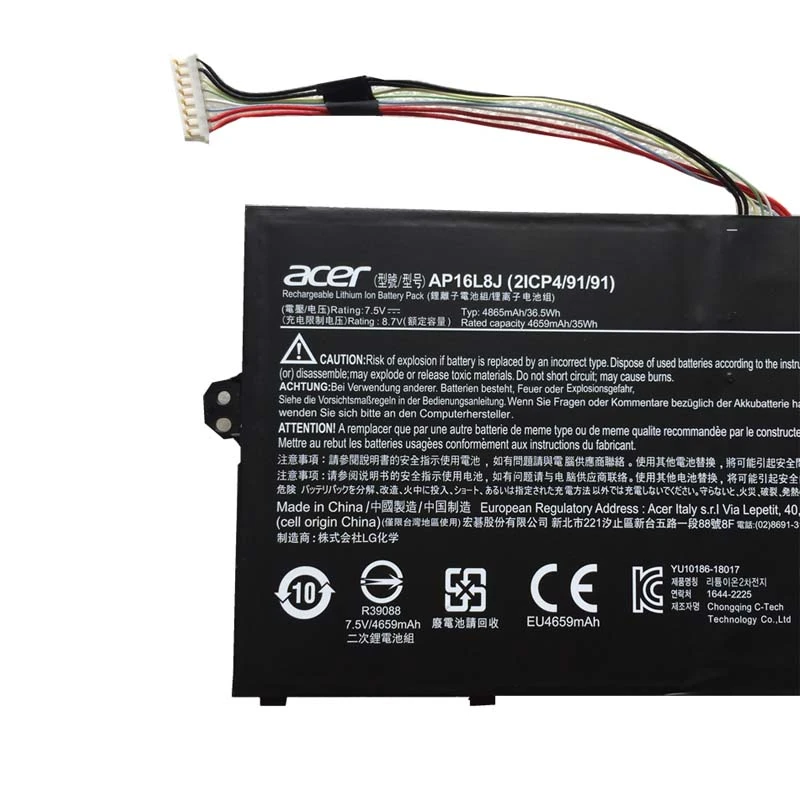
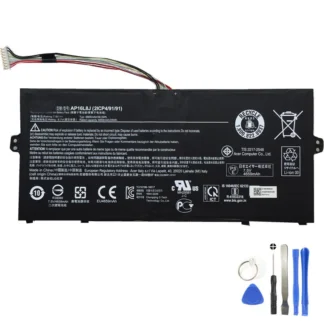
36.5Wh AP16L8J Battery for Acer Chromebook 311, Chromebook Spin, Spin 1, Swift and TravelMate X5 Series
This 36.5Wh Acer AP16L8J battery is designed for compatible Acer Chromebook 311,
Chromebook Spin 11, Chromebook Spin 513, Spin 1, Swift 1, Swift 5, and TravelMate X5 series devices.
It is a suitable choice when your current battery drains quickly, no longer holds a charge, or your
Acer laptop or Chromebook needs stable portable power again.
With a 7.5V output voltage, 4865mAh / 36.5Wh capacity, and
2-cell battery design, this battery supports everyday use such as schoolwork,
browsing, email, documents, video playback, online classes, office tasks, and travel.
Product Information
| Item Condition | Brand New |
| Color | Black |
| Capacity | 4865mAh / 36.5Wh |
| Output Voltage | 7.5V |
| Number of Cells | 2 Cells |
| Package Included | 1 x Battery for Acer |
| Warranty | 12 Months / 30-Day Return |
Compatible Part Numbers
Please compare the part number printed on your current battery before ordering. This battery is
suitable for the following Acer battery part numbers:
- Acer AP16L8J
- Acer AP16L8J-B1
- Acer 2ICP4/91/91
- Acer 5J36WHB4
- Acer KT.0020G.010
- Acer KT0020G010
Compatible Laptop Models
This Acer AP16L8J battery is designed for the following Acer Chromebook, Spin, Swift, and
TravelMate models. Please check both your device model and battery part number before placing
your order.
- Acer Chromebook 311 (CB311-11H)
- Acer Chromebook 311 (CB311-11HT)
- Acer Chromebook Spin 11 (CP311-3H)
- Acer Chromebook Spin 513 (CP513-1H)
- Acer Chromebook Spin 513 (CP513-1HL)
- Acer Chromebook Spin 513 (CP513-2H)
- Acer Chromebook Spin 513 (R841LT)
- Acer Chromebook Spin 513 (R841T)
- Acer Spin 1 (SP111-33)
- Acer Spin 1 (SP111-34N)
- Acer Swift 1 (11-34N-C1TJ)
- Acer Swift 5 (SF514-53T)
- Acer TravelMate X5 (TMX514-51)
- Acer TravelMate X5 (TMX514-51T)
When Should You Replace Your Acer Battery?
If your Acer laptop or Chromebook no longer provides enough runtime for normal use, changing the
battery can help restore convenient portable performance without replacing the entire device.
- The battery drains much faster than before.
- The device shuts down unexpectedly during use.
- The battery percentage drops suddenly or behaves abnormally.
- The device only works when connected to the charger.
- The battery does not charge to full capacity.
- Windows, ChromeOS, or BIOS shows a battery health warning.
Why Buy This AP16L8J Battery?
- Designed for compatible Acer devices: suitable for selected Chromebook 311, Chromebook Spin, Spin 1, Swift, and TravelMate X5 models listed above.
- 36.5Wh capacity: supports everyday use, schoolwork, browsing, email, documents, and travel.
- 2-cell battery design: made for compatible Acer systems using the listed AP16L8J battery specifications.
- Stable power output: built for compatible devices that use 7.5V AP16L8J batteries.
- Brand new battery: a practical option when your current battery becomes weak or unreliable.
- 12-month warranty: gives customers more confidence when ordering.
- 30-day return policy: provides extra peace of mind after purchase.
Important Compatibility Reminder
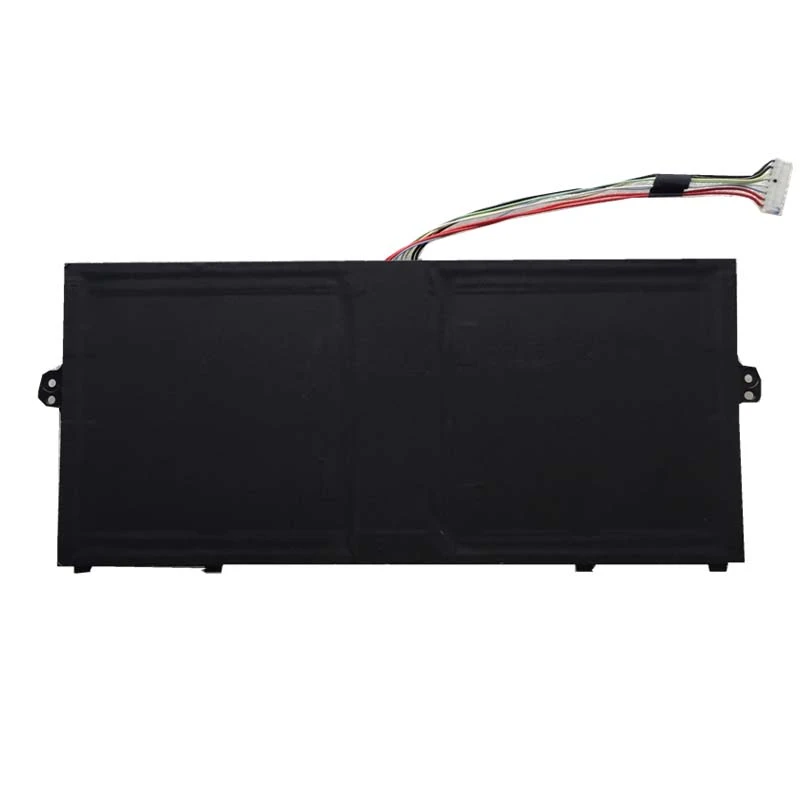
Acer batteries may look similar but can have different voltage, connector position, battery shape,
capacity, or internal layout. Before ordering, please confirm that your current battery part number
matches one of the listed part numbers, such as AP16L8J,
AP16L8J-B1, 2ICP4/91/91, 5J36WHB4,
KT.0020G.010, or KT0020G010.
You can usually find the battery part number printed on the battery label. You can also check your
device model number on the bottom cover, Chromebook settings, Windows system information page, or
original device label.
Installation Notes
- Turn off the device completely before replacing the battery.
- Disconnect the charger and any external devices.
- Use the correct tools and open the device carefully to avoid damaging the case, screen, or internal parts.
- Do not bend, puncture, disassemble, or force the battery during installation.
- Make sure the battery connector is properly aligned before closing the back cover.
- After installation, charge the battery fully before regular use.
- If you are not familiar with laptop or Chromebook repair, professional installation is recommended.
Frequently Asked Questions
Is this battery suitable for Acer AP16L8J?
Yes. This battery is suitable for Acer AP16L8J and related part numbers including AP16L8J-B1,
2ICP4/91/91, 5J36WHB4, KT.0020G.010, and KT0020G010.
Does this battery fit Acer Chromebook 311 CB311-11H?
Yes. This battery is listed for Acer Chromebook 311 CB311-11H and CB311-11HT models.
Can this battery be used for Acer Chromebook Spin 513?
Yes. This battery is listed for selected Acer Chromebook Spin 513 models, including CP513-1H,
CP513-1HL, CP513-2H, R841LT, and R841T.
Does this battery support Acer Spin 1 models?
Yes. This battery is suitable for selected Acer Spin 1 models, including SP111-33 and SP111-34N.
Does this battery fit Acer Swift and TravelMate models?
Yes. This battery is listed for selected Acer Swift 1, Swift 5, and TravelMate X5 models.
What voltage is this battery?
This battery has an output voltage of 7.5V. Please compare it with the voltage printed on your
current battery before purchase.
What capacity is this battery?
The battery capacity is 4865mAh / 36.5Wh.
How many cells does this battery have?
This battery uses a 2-cell design.
Is this battery brand new?
Yes. This product is listed as brand new.
What should I check before buying?
Please check your Acer device model, current battery part number, battery voltage, and battery
shape. The safest way to confirm fit is to compare the part number on your current battery with
the part numbers listed above.

Reviews
There are no reviews yet.